Morning
Start the day with a clear plan
Turn on the lights, set the air-conditioning routine, and hear the day's appointment reminder.
Hear a sample request
"Good morning. Tell me today's appointments and switch on the living room lights."
A calmer way to use home technology
Most voice assistants were designed for people who already love technology. Radiant Robotics is for the person who simply wants the lights on and the appointment remembered. Speak naturally, hear a clear reply, and let the family share the routine.
No smartphone fluency needed. Start with the devices you already have.
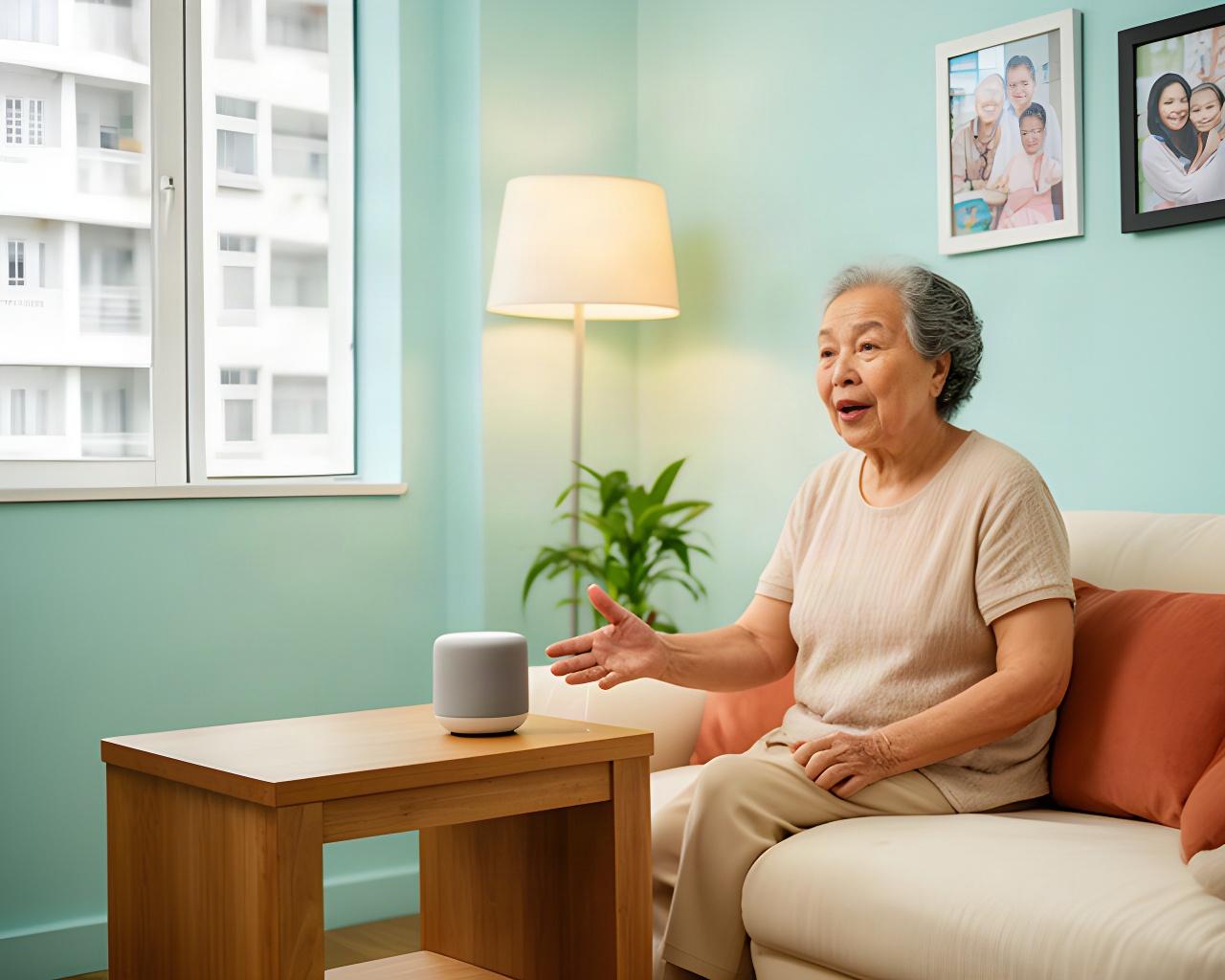
Set a reminder, add an item to the list, or switch on the lights without finding a small button.
VOICE SETTINGS PREVIEW
Good morning, Auntie MeiYour appointment is at 10 am. Shall I remind you again in 15 minutes?
Adjust the pace to suit the person listening.
Final volume depends on the selected device and room.
Made for different ways of getting things done
Voice-first controls mean there are no tiny icons to find and no menus to remember. The assistant can repeat a response, confirm a routine aloud, and use adjustable speech pace and volume.
Some people prefer a physical switch or remote. We can include those options where they suit the home and the connected device.
Useful at the moments that matter
Choose a few routines first. The assistant can fit around the household instead of asking everyone to change how they live.
Morning
Turn on the lights, set the air-conditioning routine, and hear the day's appointment reminder.
"Good morning. Tell me today's appointments and switch on the living room lights."
As needed
Schedule prompts for medication windows, meals, hydration or an upcoming visit. Agree the wording and timing with the family.
"Remind me about my tablets after breakfast."
When supplies run low
Build a shared household list aloud. A family member who shops can check the list through the agreed household setup.
"Add rice and cooking oil to the grocery list."
Any room
Link compatible lights, fans, air-conditioning or plugs to one spoken command. We check each device before setup.
"I'm settling in. Turn on the living room lights and the fan."
Evening
Set living-room lighting, check connected appliances and hear the next day's reminder before bedtime.
"Start my evening routine and remind me about tomorrow's clinic visit."
When someone visits
Set household prompts for a helper, visiting nurse or family member. The household decides who can change shared routines.
"Remind me that the nurse is coming at 2 pm."
Keep what works
A voice-controlled smart home can start with one room. We check the make, model and control method before recommending any bridge or replacement.
| Area | Device type | Typical route | What we check |
|---|---|---|---|
| Living room | Lights and fans | Direct or compatible control | Device model, switch type and available connectivity. |
| Bedroom | Air-conditioning | Infrared bridge may suit | Remote-control protocol, placement and line of sight. |
| Kitchen | Small appliances | Smart plug where appropriate | Power rating and whether remote switching is suitable for the appliance. |
| Living room | Television and entertainment | Device-specific integration | Existing remote, brand support and the commands the household wants. |
We check the device model, switch type and available connectivity.
We check the remote-control protocol, placement and line of sight.
We check the power rating and whether remote switching is suitable.
We check existing remotes, brand support and the commands wanted.
Some appliances cannot be safely or reliably controlled through a smart plug or infrared bridge. We explain those limits during the home assessment and suggest a suitable manual control or alternative where possible.
Control stays with the household
Privacy settings should be understandable before the assistant is installed. We review the selected device's listening behaviour and household access settings with you.
The device uses wake-word detection to respond when called. We explain its listening indicators and available microphone controls.
Choose which family members can manage lists, routines and reminder history through the supported account settings.
Check voice-history and retention controls on the chosen service. Settings can be revisited, and access requests can be directed to our team.
Responsible AI for real households
Capabilities and data controls vary by device and account. During setup, we identify what is stored by the selected service, who can view shared household information, and how to change the available privacy settings.
Connect only the rooms and routines the household wants to use. We can leave other devices untouched.
For details on information handled by our business, read the privacy policy. Ask us about a household access request during your consultation.
A measured setup, at the senior's pace
We work through the actual rooms, devices and daily habits in your flat. There is time to practise before the first two-week check-in.
We learn who will use the assistant, which rooms matter, and what reminders would help.
Bring a short list of regular routines and any accessibility preferences. Family members can join the call.
We review Wi-Fi coverage, device compatibility, control options and a practical assistant location.
Share appliance model numbers or photos of the remotes if they are easy to access.
We set up the agreed routines, then walk through each one with the senior at a comfortable pace.
Have the person who will use the assistant at home for the walkthrough. We can repeat each step.
We review speech pace, volume, routine wording and any setup questions that have come up.
Note prompts that were too fast, too quiet or not useful, so we can make practical adjustments.
See it in a real home setting
Request a consultation and we will demonstrate the assistant in the rooms where it would be used. We will also show what it cannot control, so you can make a clear decision.
Need stricter medication or wellness support? Ask about elderly home monitoring alongside the assistant.